
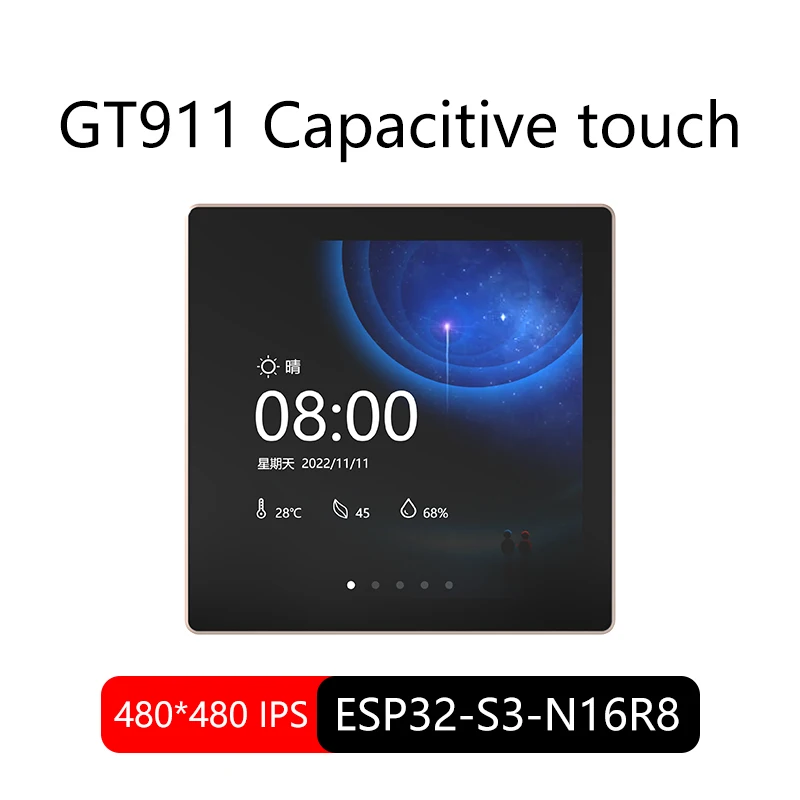
ESP32-S3 Arduino LVGL WIFI&Bluetooth Development Board 4.0 "480 * 480 Smart Display 4.0 inch LCD TFT Module Capacitive Touch
You will be redirected to AliExpress to complete your purchase
Specifications
- Brand Name
- NONE
- Origin
- Mainland China
- Display Mode
- 300;1
- High-concerned chemical
- None
- Resolution
- 480x480
- Choice
- yes
- semi_Choice
- yes
Product Description
Attention:
1. To download the USB-TYPE-C program, you need to install the driver for CH340, which is included in the driver package.
2. Regarding computer power supply, it is not recommended to use a laptop USB port. Instead, use the USB 3.0 port of a desktop computer because the screen is in WiFi mode and the instantaneous current is relatively high. If the computer still cannot be powered, you can try using a mobile phone charger to power it.
Pros & Cons
Pros
- High-res 480x480 capacitive touch display
- ESP32-S3 with WiFi/Bluetooth
- Arduino LVGL compatible
- 4.0 inch TFT for smart projects
Cons
- Requires CH340 driver installation
- Desktop USB 3.0 recommended for power
- WiFi mode drains laptop USB power
- No full specs on size
Common Questions
What is the screen material and resolution of the ESP32-S3 board?
4.0 inch LCD TFT module with capacitive touch, 480x480 resolution, contrast ratio 300:1.
What size is the ESP32-S3 development board?
Compact board size fitting 4.0 inch display, with USB-Type-C for programming.
Is it compatible with Arduino IDE?
Yes, ESP32-S3 supports Arduino LVGL, WiFi & Bluetooth development.
How to power and program this board?
Use USB 3.0 desktop port for power and CH340 driver for USB-Type-C programming; avoid laptop USB.
What shipping details for this smart display module?
Origin Mainland China, standard shipping; install CH340 driver from included package.
Product information last updated on April 20, 2026